44 posts tagged with "iOS Development"

iOS development tips and tutorials

View All Tags

App Intents for SwiftUI Apps: Siri, Shortcuts, Spotlight, and Action Button

· 6 min read
Full Stack Developer
Last updated on June 22, 2026

Expose real product actions to the system instead of treating your app as an isolated screen stack.

SwiftUI App Intents architecture connecting app actions to Siri Shortcuts Spotlight and widgets

App Intents are becoming one of the most important integration points for iOS apps. They let your app expose actions and data to system features such as Siri, Shortcuts, Spotlight, widgets, and other surfaces that can help users act without opening the full app first.

For SwiftUI templates, this is a major opportunity. A template usually already has a predictable product loop: browse products, start a chat, save a listing, log a workout, check an order, or create a reminder. App Intents turn those loops into system-level capabilities.

This guide explains how to plan App Intents in a SwiftUI app template:

  • identify user actions worth exposing;
  • model app entities and queries;
  • decide which actions belong in Shortcuts or Siri;
  • connect intents to widgets and Spotlight;
  • test the integration before release.

Liquid Glass in SwiftUI: How to Modernize an iOS App Template

· 7 min read
Full Stack Developer
Last updated on June 22, 2026

A focused modernization pass for real SwiftUI apps, not a visual rewrite.

SwiftUI template modernization workflow for Liquid Glass interface updates

Liquid Glass is not just a shiny material. It changes how iOS apps express depth, hierarchy, translucency, motion, and icon identity across Apple platforms.

For teams starting from an existing SwiftUI template, the question is not "How do we add glass everywhere?" The better question is: "Which parts of this app should feel more native while still preserving the product's brand?"

This guide gives you a practical modernization path for SwiftUI templates:

  • audit navigation and surfaces before touching colors;
  • update reusable components instead of one-off screens;
  • prepare app icons with Icon Composer;
  • test legibility, motion, and accessibility settings;
  • ship the redesign in small, reversible steps.

If you are choosing a base app before modernizing, start with the SwiftUI Starter or browse the full iOS templates catalog.

MetricKit for SwiftUI Apps: Real-World Performance After Launch

· 6 min read
Full Stack Developer
Last updated on June 22, 2026

The App Store release is the start of performance work, not the end.

MetricKit performance monitoring workflow for a SwiftUI iOS app

Most teams test performance before launch. Fewer teams monitor what happens after real users install the app on real devices.

That gap is expensive. A SwiftUI app can pass QA and still suffer from slow launches, memory pressure, animation hitches, disk usage growth, or hangs under real-world conditions.

MetricKit helps close that gap by delivering performance metrics and diagnostics from actual device usage. For template-based SwiftUI apps, this is a practical way to detect regressions after customizing the base code.

This guide covers:

  • what MetricKit measures;
  • which metrics matter for SwiftUI apps;
  • how to connect diagnostics to product areas;
  • what to monitor after a template customization;
  • how to build a release performance checklist.

SwiftData + CloudKit for SwiftUI Templates

· 6 min read
Full Stack Developer
Last updated on June 22, 2026

Persistence decisions that keep a template fast today and maintainable later.

SwiftData and CloudKit architecture for a SwiftUI app template

SwiftData is one of the most important tools for modern SwiftUI apps. It gives developers a native, Swift-first way to model and persist local data while working naturally with SwiftUI.

For app templates, the question is not "Should every app use SwiftData?" The better question is: "Which parts of this template need local state, offline behavior, sync, or structured persistence?"

This guide explains how to use SwiftData and CloudKit in SwiftUI templates:

  • when SwiftData is a good fit;
  • when Core Data or a backend-first model is safer;
  • how to think about iCloud sync;
  • how to structure model boundaries;
  • how to avoid coupling persistence directly to every screen.

WidgetKit and Live Activities for SwiftUI Apps

· 6 min read
Full Stack Developer
Last updated on June 22, 2026

Make your app useful before the user opens it.

WidgetKit and Live Activities surfaces for a SwiftUI app template

Widgets and Live Activities are not decorations. They are retention surfaces.

A good widget gives users a reason to come back. A good Live Activity keeps an active task visible at the exact moment it matters. Together, they can make a SwiftUI app feel deeply integrated into iOS.

This guide shows how to plan WidgetKit and Live Activities for SwiftUI app templates:

  • choose the right use cases;
  • separate widgets from Live Activities;
  • model state safely;
  • use App Intents for interaction;
  • verify updates, permissions, and fallback states.

The Complete Guide to Building Production-Ready iOS Apps in SwiftUI

· 11 min read
Full Stack Developer
Last updated on February 14, 2026

Architecture, features, and templates without sacrificing quality.

SwiftUI production workflow from idea to shipping

SwiftUI makes it easier to build beautiful iOS apps. That part is true.

Shipping a production-ready app is still hard.

The difference between a prototype and a reliable product is rarely UI polish alone. It is architecture discipline, predictable state handling, resilient networking, sane persistence choices, and release workflows that do not break every sprint.

This guide is for developers, agencies, and technical founders who want to ship faster without creating fragile codebases.

You will learn:

  • When templates accelerate delivery and when they hurt
  • How to structure a scalable SwiftUI app with MVVM
  • How to plan core features that most apps need
  • How to approach chat and WebRTC with production constraints
  • How to choose templates responsibly and customize them deeply

If you want a baseline catalog first, browse iOS templates and then come back to this guide to pick the right starting point.

How to Implement the MVVM Design Pattern in Swift

· 7 min read
Full Stack Developer
Last updated on February 16, 2024

As you know, there are a lot of design patterns applicable in Swift such as MVC, MVP, and MVVM. Depending on the project’s purpose, we choose which one is most appropriate. At iosapptemplates.com, we use a wide variety of Swift design patterns to build our functional mobile app templates. In this article, we’re going to tackle some of the advantages that come with using MVVM Swift and explain clearly with Swift code snippets.

How to Make a Chat App for iOS in SwiftUI

· 10 min read
Full Stack Developer
Last updated on December 28, 2023

swiftui chat app

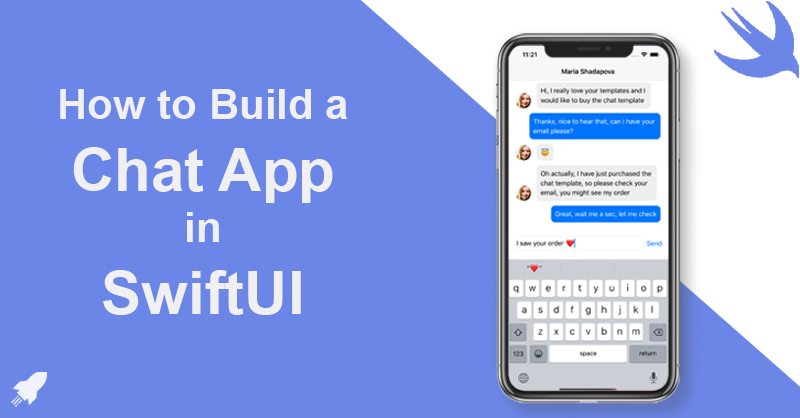
SwiftUI is the modern way of building user interfaces across all Apple platforms. In this tutorial, we are going to learn how to create a chat app in SwiftUI. There are a lot of interesting concepts that need to be engaged in building a SwiftUI chat app, so there's a lot to learn. Here's how your final SwiftUI app will look like at the end of this tutorial:

SnapKit Tutorial: Simplifying Auto Layout in iOS App Development

· 6 min read
Full Stack Developer
Last updated on November 20, 2023

For iOS developers, setting up UI programmatically might feel hard and complicated, especially if you are not very experienced in Swift. But luckily, there are a lot of libraries supporting us with this problem. One of them is SnapKit. In our mobile app templates, we use SnapKit to set up UI programmatically, since it’s by far the best Swift UI Layout Library. In this SnapKit tutorial, we are going to give you a brief introduction to the SnapKit world.

How to Integrate WebRTC in Swift for Video & Audio Chat

· 3 min read
Full Stack Developer
Last updated on September 5, 2023

swift webrtc

WebRTC (Web Real-Time Communication) is a powerful technology that enables real-time communication (like video and voice chats) in web and mobile applications. Integrating WebRTC into iOS applications often involves a combination of the native WebRTC SDK and bridging techniques to adapt it for specific platforms like SwiftUI or UIKit.