How to Integrate WebRTC in Swift for Video & Audio Chat
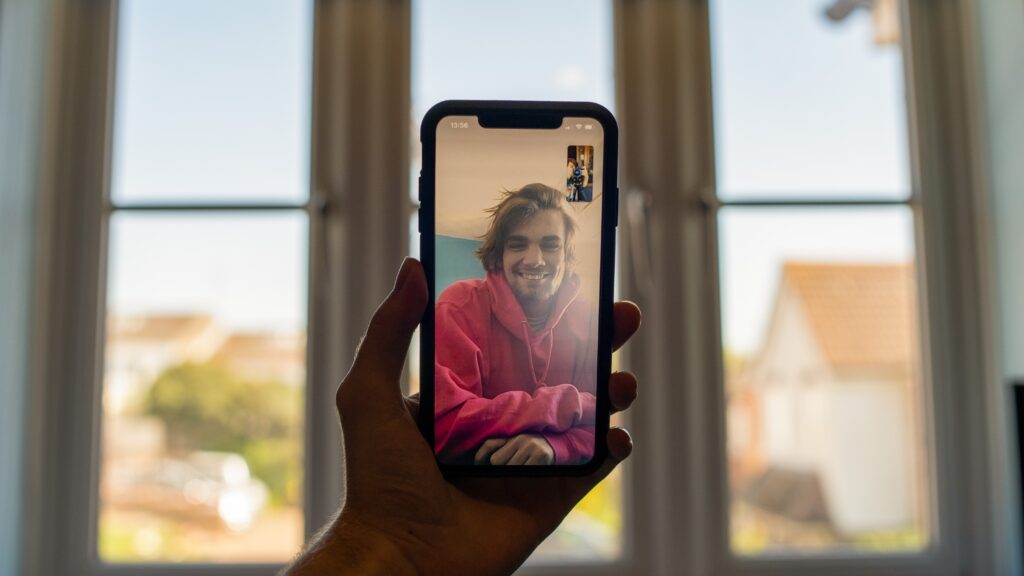
WebRTC (Web Real-Time Communication) is a powerful technology that enables real-time communication (like video and voice chats) in web and mobile applications. Integrating WebRTC into iOS applications often involves a combination of the native WebRTC SDK and bridging techniques to adapt it for specific platforms like SwiftUI or UIKit.
In this brief guide, I'll walk you through the process of setting up WebRTC for an iOS application using Swift:
1. Setting Up the WebRTC SDK
To start, you need the WebRTC framework for iOS:
- You can either compile it from source (which can be time-consuming) or fetch precompiled binaries.
- Check out popular GitHub repositories that offer these precompiled frameworks for easier integration.
Ship faster with All Access. Get the Swift templates, admin panels, updates, and launch bonuses that help you build faster.
Explore All Access2. Initialize WebRTC
First, set up your view controller or SwiftUI view for video display:
import UIKit
import WebRTC

class VideoViewController: UIViewController {
    var remoteVideoTrack: RTCVideoTrack?
    var remoteVideoView: RTCEAGLVideoView?

    override func viewDidLoad() {
        super.viewDidLoad()

        self.remoteVideoView = RTCEAGLVideoView(frame: self.view.frame)
        if let remoteVideoView = self.remoteVideoView {
            self.view.addSubview(remoteVideoView)
        }
    }
}
3. Set Up RTCPeerConnection
RTCPeerConnection is a key component in WebRTC. It represents the connection between peers.
let configuration = RTCConfiguration()
let peerConnection = peerConnectionFactory.peerConnection(with: configuration, constraints: nil, delegate: nil)
4. Handle Offer and Answer
For peers to connect, one needs to create an offer, and the other should answer:
// Creating an offer
peerConnection.offer(for: RTCMediaConstraints(mandatoryConstraints: nil, optionalConstraints: nil)) { (sdp, error) in
    guard let sdp = sdp else { return }
    // Send this sdp to the other peer using your signaling server
}

// Setting remote description and creating an answer
func receivedOfferFromPeer(offerSDP: String) {
    let remoteSDP = RTCSessionDescription(type: .offer, sdp: offerSDP)
    peerConnection.setRemoteDescription(remoteSDP) { (error) in
        guard error == nil else { return }
        peerConnection.answer(for: RTCMediaConstraints(mandatoryConstraints: nil, optionalConstraints: nil)) { (sdp, error) in
            guard let sdp = sdp else { return }
            // Send this sdp back to the offerer using your signaling server
        }
    }
}
5. Signal Handling
WebRTC does not define how signaling should be done, but it's an essential component. You might want to use WebSockets, Firebase, or any other communication mechanism to exchange offers, answers, and ICE candidates between peers.
Ship faster with All Access. Get the Swift templates, admin panels, updates, and launch bonuses that help you build faster.
Explore All Access6. Handle ICE Candidates
For NAT traversal, you need to handle ICE candidates:
func peerConnection(_ peerConnection: RTCPeerConnection, didGenerate candidate: RTCIceCandidate) {
    // Send this candidate to the other peer using your signaling server
}

func receivedICECandidateFromPeer(candidate: RTCIceCandidate) {
    peerConnection.add(candidate)
}
7. Displaying Video
When receiving a video track:
func peerConnection(_ peerConnection: RTCPeerConnection, didAdd stream: RTCMediaStream) {
    if let videoTrack = stream.videoTracks.first {
        videoTrack.add(remoteVideoView)
    }
}
Looking for a custom mobile application?
Our team of expert mobile developers can help you build a custom mobile app that meets your specific needs.
Get in TouchConclusion
Setting up WebRTC on iOS requires careful coordination between signaling, session establishment, and media handling. Once set up, WebRTC provides a robust solution for real-time communication in your app. Remember that you also need a STUN/TURN server for NAT traversal, especially for production applications. There are various platforms and services (like Twilio, Agora.io, etc.) that offer easy integration for WebRTC on iOS if you'd like to avoid setting up everything from scratch.