Swift Dashboard App Template

Command Your Business Intelligence from the Palm of Your Hand: A High-Performance Swift Dashboard Featuring Real-Time Data Visualization, Intuitive Admin Controls, and Enterprise-Grade Analytics.

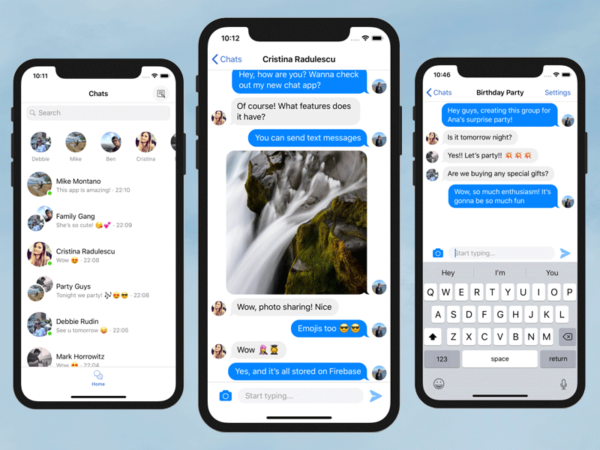
Put your business stats in your pocket with this native Swift Dashboard App Template. Features 28+ screens with real-time charts, sales feeds, and task management. A professional admin panel for SaaS and E-commerce sellers.
$99 Starting at
23+ Preview Screens
Included Source Code
Commercial License
Trusted by 150,000+ developers and 5,500+ paid customers.
Why This Sells Well
Everything needed to start faster, without building the boring parts from scratch.
  • Production-ready code you can customize fast
  • Documentation and setup guide included
  • Instant access right after checkout
Best next step
Compare the single-template options against the bundle, then pick the one that matches your goal.
1 / 23
Swift Dashboard App Template   preview 1
Slide 1 of 23
Why Buyers Trust Dopebase
500,000+
Downloads
150,000+
Developers
5,500+
Paid customers
Customer Feedback
Xcode projects were ready to run and easy to adapt for our needs.
Marcus Wright
iOS Engineer

Best Value: All Access

All Access includes this template plus every iOS App Templates product. Buy the single template only if you need this one codebase.

iOS Mega Bundle
Best value

All Access Pass

Swift Dashboard App Template plus the full iOS App Templates catalog.

$349
One-time payment
Best for: Buying more than one template, or keeping 17+ templates available for future projects.
Only +$200 if you need more templates.
  • 17+ premium templates
  • Access to 15 Admin Panels
  • Full source code and documentation
  • AI Skills
  • 300+ page launch book
  • Commercial publishing rights
  • $8,613+ individual value
Secure checkout powered by Paddle.
Swift Dashboard App Template
Single template

Developer License

Full source code for this template, ready to customize and publish.

$149
One-time payment
Best for: Launching a commercial app, doing client work, or building a real product.
  • Full source code
  • Setup guide and documentation
  • 23+ preview screens
  • Instant access after checkout
  • Email support
Secure checkout powered by Paddle.
Swift Dashboard App Template
Learning

Personal License

Full source code for learning, prototypes, and personal projects.

$99
One-time payment
Best for: Studying the code or building a non-published prototype.
  • Full source code
  • Setup guide and documentation
  • 23+ preview screens
  • Instant access after checkout
  • Email support
Secure checkout powered by Paddle.
Inside This Template

See what you get before digging into the full technical details

Overview

Dashboard app with Analytics, Charts, Sales Feed, Orders, Customers, Products, Tasks , Notifications Full Swift source code, ready to run in Xcode Demo Video – Admin Dashboard iOS App Template

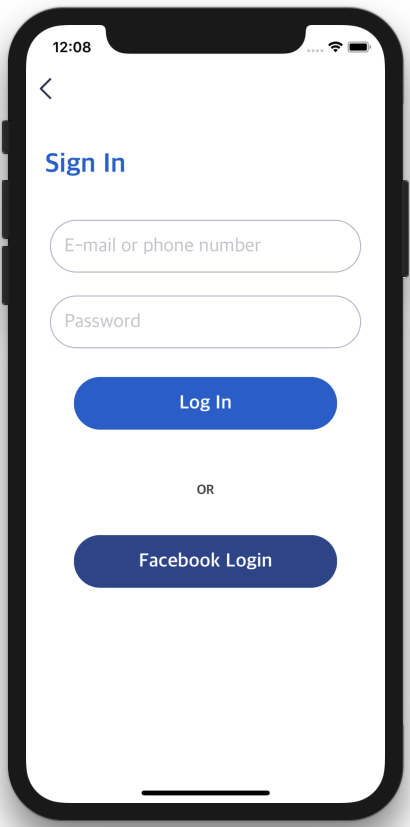
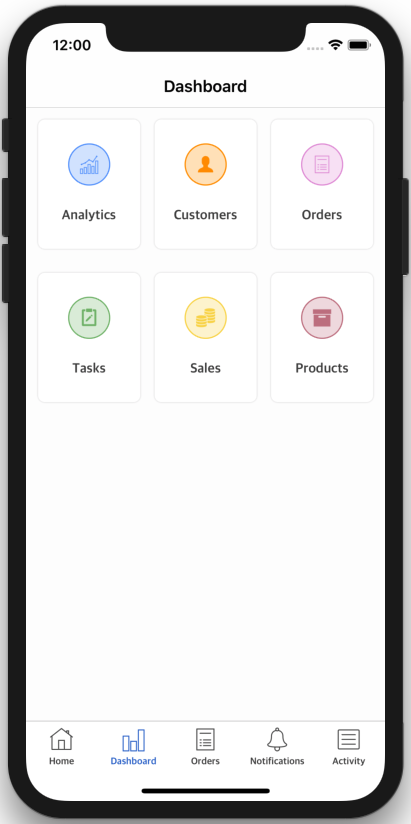
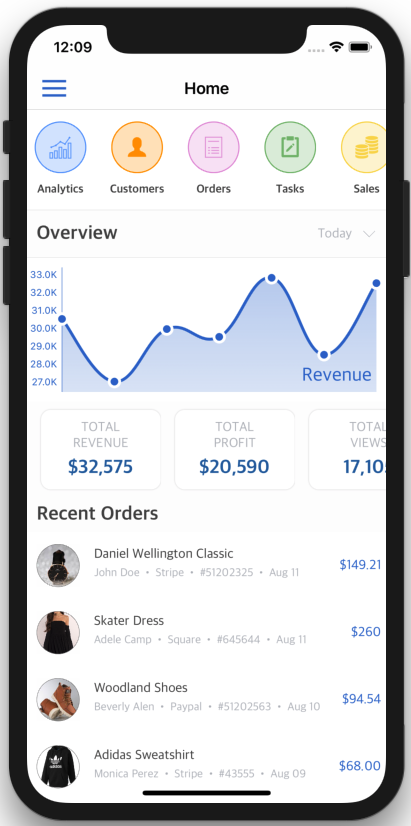
Launch Screen, with customizable logo & app name Login Screen, with support for Email & Password Sign In and Login with Facebook Home Screen Stories Tray – to highlight shortcuts for popular categories Date Range selector – to choose the time period for your analytics and business stats Chart Overview – to track the progress of your goals Card Carousel – to emphasize the bottom line of your most important metrics Recent Orders Preview – a quick preview of the most recent orders Tab bar Navigation Sidebar Navigation Dashboard screen – listing key entities for any business: Analytics Screen, containing various types of charts (Line Charts, Bar Charts, Pie Charts) Customers Screen Customer Details Screen Tasks Screen – for effective task management Task Details Screen Products Screen Single Product Screen Orders Screen (Sales Feed Screen) Order Details Screen Notifications Screen Activity Feed Screen Date Range Calendar Selection Screen Sign up Screen
What You Get

  • Dashboard app with Analytics, Charts, Sales Feed, Orders, Customers, Products, Tasks , Notifications
  • Full Swift source code, ready to run in Xcode

Key Highlights

  • Launch Screen, with customizable logo & app name
  • Login Screen, with support for Email & Password Sign In and Login with Facebook
  • Home Screen Stories Tray – to highlight shortcuts for popular categories
  • Date Range selector – to choose the time period for your analytics and business stats
  • Chart Overview – to track the progress of your goals
  • Card Carousel – to emphasize the bottom line of your most important metrics
Full Details

Open the sections below for the full included list, feature breakdown, and technical details.

Related products