Real-time iOS Chat App Template – Tutorial
In this tutorial we’ll focus on getting the Chat iPhone App Template up and running. The Swift template is integrated end-to-end with a Firebase backend where users and messages are stored. To have your own instance of the real-time chat app you’ll need to wire the purchased template to your own Firebase account.
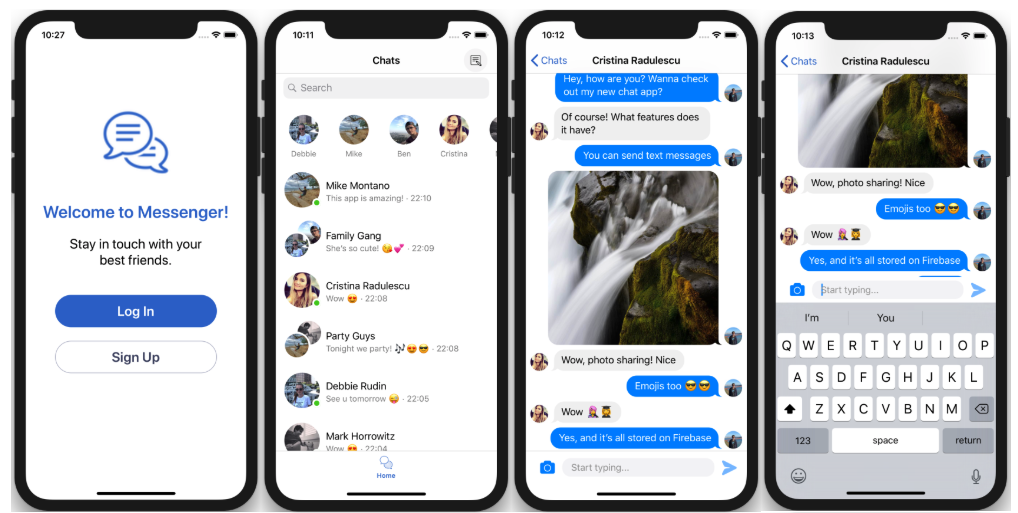
On a high level, follow these steps:
- Download the Real-time iOS Chat App Template
- Link your Firebase account to the app template
- Run the app in the latest Xcode
- Publish your app to the App Store
Create and configure a new Firebase iOS Project
First, configure your backend on Firebase. Firebase provides database, authentication, storage, notifications, analytics and more.
- Go to Firebase Console, log in and create a new project.
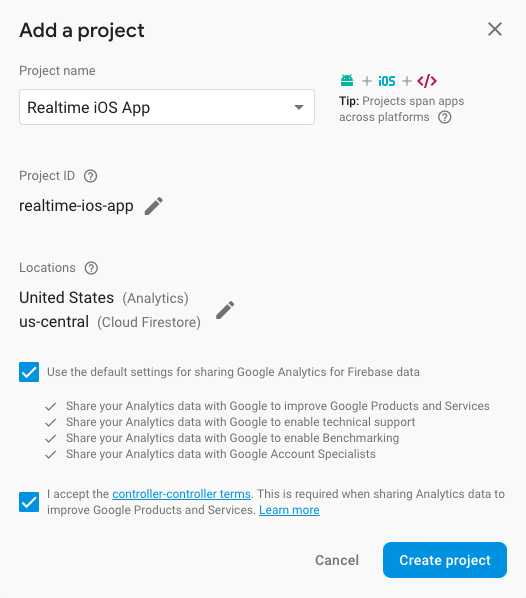
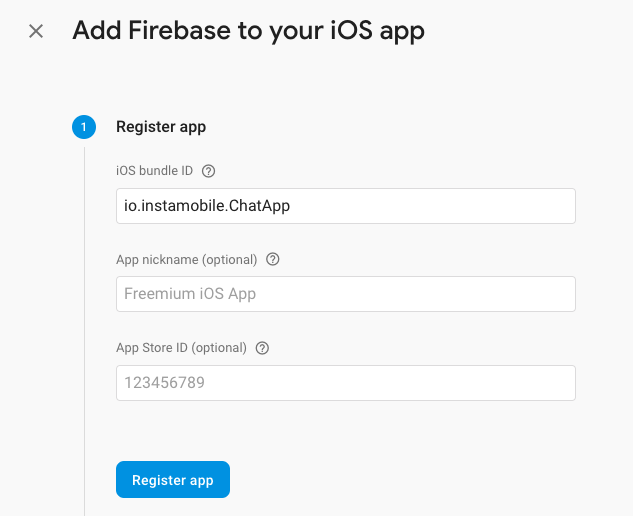
- In your Firebase project add a new iOS App. Use bundle identifier
io.instamobile.ChatApp(or yours) and create the app.
-
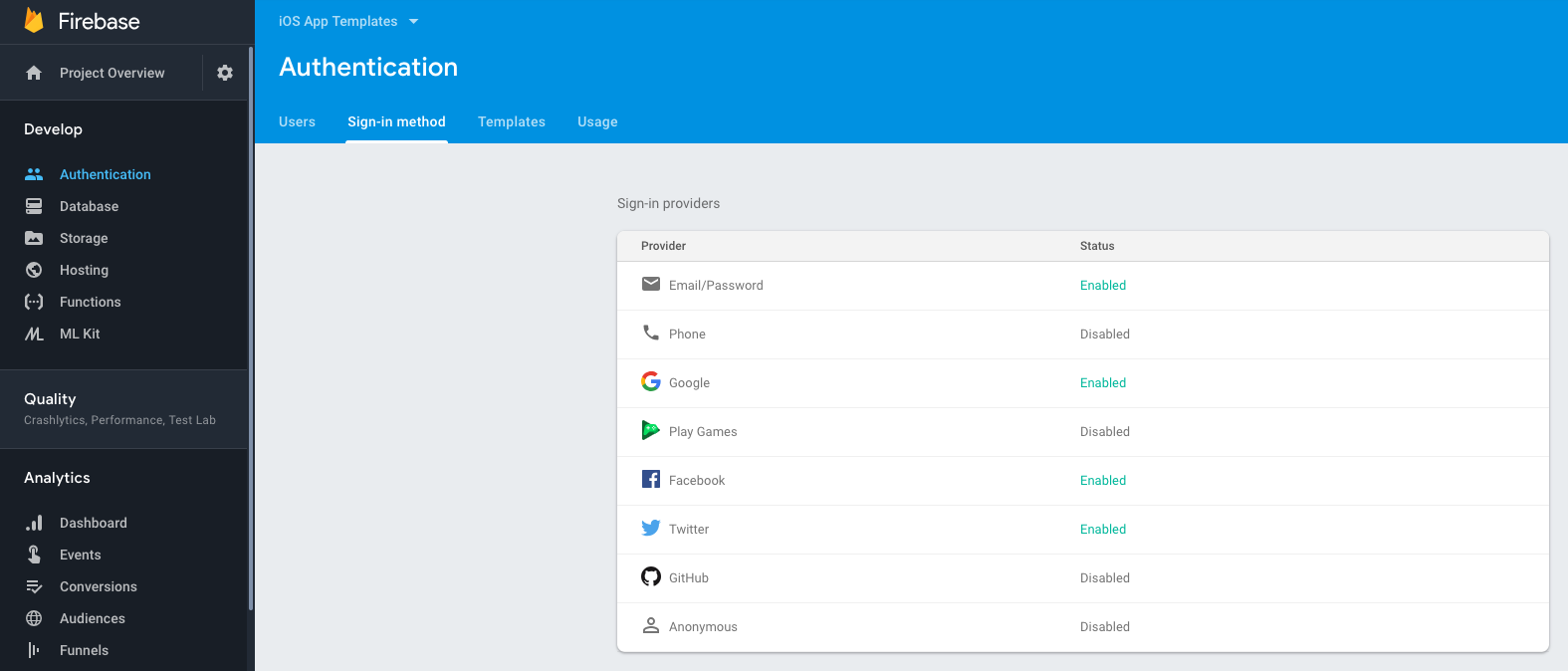
Enable Firebase Authentication (Email/Password and Facebook) in Authentication → Sign-in Methods.
-
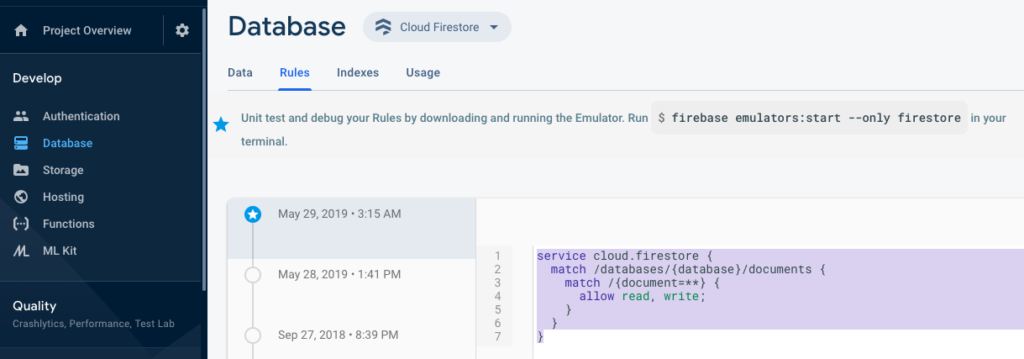
Set Firestore rules to allow reads/writes during initial setup (adjust for production afterwards). Example:
service cloud.firestore {
  match /databases/{database}/documents {
    match /{document=**} {
      allow read, write;
    }
  }
}
Link the downloaded iOS app template to your Firebase Project
- In Firebase Console → Project Overview → Settings, select your iOS app and download
GoogleService-Info.plist. - Replace the
GoogleService-Info.plistincluded in the Swift source (ChatApp/ChatApp/GoogleService-Info.plist) with your downloaded file.
Build & Run the app with Xcode
- Install pods: from the
ChatAppfolder run:
cd ~/path_to_downloaded_folder/ChatApp
pod install
- Open
ChatApp.xcworkspacein Xcode and run on a simulator or device.
If you don’t have Cocoapods installed, see https://cocoapods.org/.
Once the app is running, test user registration, messaging, and other features. For production, tighten Firestore rules and configure APNs certificates for push notifications.